


3 months of updates
New versions for three months.
A$49.95
GST included.
- Permanent licence, two PCs
- 3 months of updates from the day you buy
- Add more updates whenever you like
NeuralSpark 2.3.0 · for Windows · What's new
One window on your own PC. Answers with their sources, your code tested, committed and pushed to your Git server, your servers over SSH, long tasks worked through in your folders, and the deck, report or web page designed and checked. All of it on the AI provider you already pay for.

The real application. One conversation: a brief, three looks compared, seven slides checked and exported.Windows 10 and 11 · bought once · made in Melbourne
What's inside
Everything here ships in NeuralSpark today, with your own key and your own files.
Web search in every chat, with its sources. Deep research runs up to 20 searches and 30 page reads and cross-checks the figures.
Comparisons, checklists, charts, plans and fixtures you can work with, built from the pages it read.
Its own place beside Chat: several tasks at once on their own branches, a reviewer, an editor and tests beside each task, and Rewind to any message.
GitHub, GitLab, Bitbucket, Azure DevOps or your own server: commit, push and open pull requests from Code.
Your servers over SSH: commands, logs and file edits, with your permission and a full activity log.
A lead and specialist teammates take a longer job from plan to finished files, with 50 ready-made playbooks.
100 templates, brand kits and editable charts. Decks, reports, posters and web pages; PDF, PowerPoint, Word, PNG or HTML.
The price list or brochure you already have, changed in place: prices, sections and wording, or pages redesigned.
Made, edited and combined by your provider's image model, billed by them. Resizing for every place is free.
New ones designed like our PDFs, yours changed in place, every file checked before it comes back.
Sheets, Docs and Slides read, changed and designed where they live, by their link or their shortcut on your PC.
With Google Drive for desktop, your My Drive opens as a workspace in one click, its Google files live.
Attach a PDF, a Word, Excel or PowerPoint file, a photo or a scan, and Chat and Code work from what is in it.
Press the microphone and speak; your words are typed into the message. Recognised on your PC.
Designer, Deep research and Code built in. Make your own with Agent builder; it works in Cowork too.
Ask in Chat or pick a ready-made one: on a schedule, when a web page changes or a file lands, with “only tell me if…”, and the result sent to a notice, Slack, Teams, Discord or Telegram.
Your designs and the files they made, and your conversations, in one place.
Switch the extras that come with NeuralSpark on or off: Git, Voice input, Agent Teams for big jobs, and Auto review.
Notion, Linear, Jira, Canva, Stripe, Zapier and more with one click and your own sign-in, or any MCP tool server. Secrets stay in Windows.
Your workspace stays on your PC with telemetry off, and your keys and sign-ins are protected by Windows.
A calm light look, or dark if you prefer, with the window's own buttons sitting over the app.
A dark theme on every screen, or follow Windows. Every drop-down, tick box and date box is NeuralSpark's own.
Follows Windows' proxy and certificates, or the proxy and certificate file your IT team gives you.
Ask how to do something in NeuralSpark, or how to use your connected models elsewhere, and it answers with the real screens.
How it works
NeuralSpark is the software on your PC. The AI behind it is a service you already use, or one you sign up for in a few minutes.
Choose a package, create your account and download NeuralSpark for Windows 10 or 11. Enter your activation key when it opens.
Paste a key from your AI provider in Settings, such as OpenAI, Anthropic or Google Gemini, or connect a model on your own PC. The provider bills you for what you use. Which provider?
A report from your spreadsheets, a deck, new prices in your PDF, a fix in your code. You see every step, and you choose how much it may do by itself: read only, edit your files, or full access.
Chat
Ask anything. Chat searches the web, reads the pages and answers with its sources, and when a card says it better, it lays the answer out as one.


Two to four facts, a picture, the sources, and how sure it is: confirmed, likely or uncertain.
Two to four options side by side, each marked official or rumoured. Tick what matters and see which way it leans.
Tick items off; the ticks are kept. Copy what's still open.
Bar, line or pie, from the figures it found.
Three to eight chapters with pictures, a trailer or a gallery.
A trip, event or project in costed stages, in your home currency. Change the budget, the people or an option and every total follows.
Games and results in their local time or yours, and an Add to calendar file with confirmed times only.
A layout of its own: tabs, a timeline, stats, a gallery, a budget.
Every card names the pages it came from. Before you see it, a second check compares it with what was actually read, and anything it couldn't confirm is marked on the card; a price that no page showed is marked as an estimate. Cards can end with follow-up questions: tap one to ask it.
Code
Code sits beside Chat and does one job: the work in your project. Pick a project and say what to change. It reads the code, makes the change, runs your tests and commits it, then tells you plainly what it did. Start several tasks at once, each on its own branch, and review every change before it goes in.


In Can edit files. Git and Node ship with NeuralSpark, so there is nothing else to install.
Zed, JetBrains IDEs and VS Code can run Code beside your code, with the models you connected here.
Code works out the plan and checks with you before it changes anything.
One opens in the project's folder, beside the task.
Go to a definition, see a type and list type errors, in TypeScript, JavaScript and Python.
Your own commands at set moments: tests after every edit, or a check that refuses a risky command.
Commands change files in your workspace; anything wider asks you first.
The same work on your own servers over SSH, below.
Git
Connect GitHub, GitLab, Bitbucket, Azure DevOps, a server on your own network or a shared drive. Ask in plain words and Code commits, branches, pushes and opens pull requests. In Can edit files, it asks you before anything leaves your PC.

Look for Git on this PC finds your Git folders and the servers they already use, ready to open or connect.
Make any folder a Git folder and publish it as a new private repository on your account.
Browse your repositories and open a copy in Code as a project.
Git ships with NeuralSpark. Switch it off on the Plugins page if you don't need it.
Remote computers
Connect the Linux servers you reach over SSH and ask in plain words: what's running, why the site is down, fix the config, run the tests. Chat does the work on the server and shows you every step.
/var/log/nginx/error.log · last 200 linessites-enabled/shop.conf · you approvednginx -t · you approved · exit 0 · 0.3 ssystemctl reload nginx AllowDenyType user@host or import from your ~/.ssh/config. Sign in with your key, a new Ed25519 key the app makes, the SSH agent (Windows OpenSSH or 1Password) or a password. Check the fingerprint once and trust it.
Commands run for up to an hour, or in the background with progress checks and a stop, on servers with Python 3.10 or later. Files are read, searched and edited, and a save never overwrites a change made on the server since it was read. Browse the working files, draft changes and review them before they're saved.
Each computer is Full, Ask or Read only, enforced by the app, not the model. The server's identity is pinned, with a warning if it changes. Keys are encrypted by Windows.
Cowork
Cowork takes a longer job from start to finish in a folder you choose. Its lead plans the work on a shared board, brings in specialist teammates for research, writing, design and figures, checks what they make and hands you the finished documents, decks and workbooks.


Design
00The brief
A few sentences, the way you'd say it to a person. It opens your files and works out the numbers itself.
01A deck
Sales by month, product and customer, and the margin on every product from the recipes. The cover picture was made for it.
02A document
The trade price list on A4. Headings stay with what follows them; tables break between rows, never through them.
03A poster
One message, readable in two seconds, even over a photo. A4, A3, square, 4:5 post, story and screen.
04A web page
The range, the prices and a way to get in touch, checked at desktop, tablet and phone width, as one HTML file.
Design a deck for Saltwater Bakehouse: our third quarter of 2026 in review, for our accountant Maggie and our own planning. Everything is in the Saltwater Bakehouse folder. Work out the real numbers — sales by month, product and customer, the margin on each product, what is still unpaid, and what my notes say about the almond croissant. Make a picture for the cover.
You · 06:02


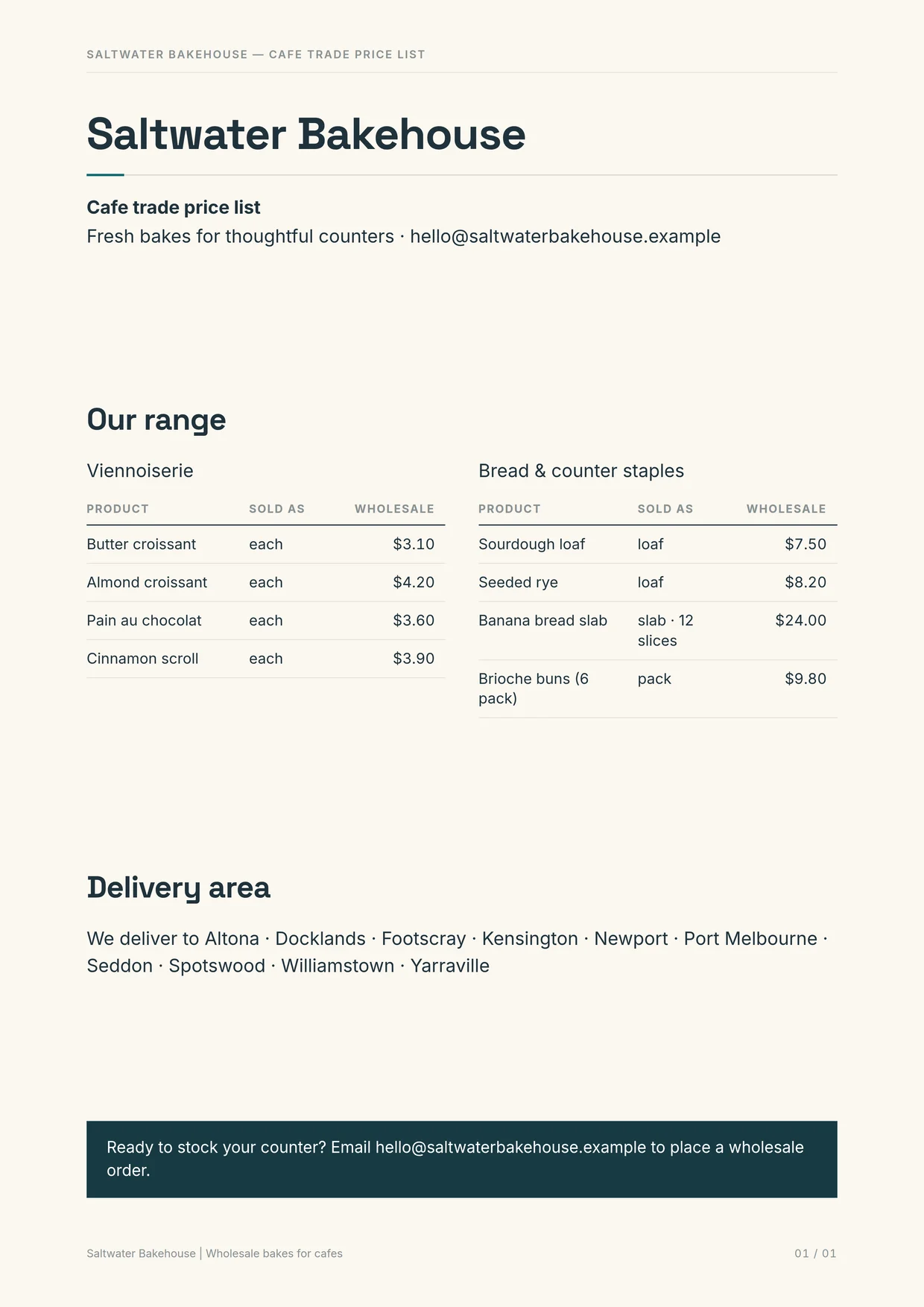

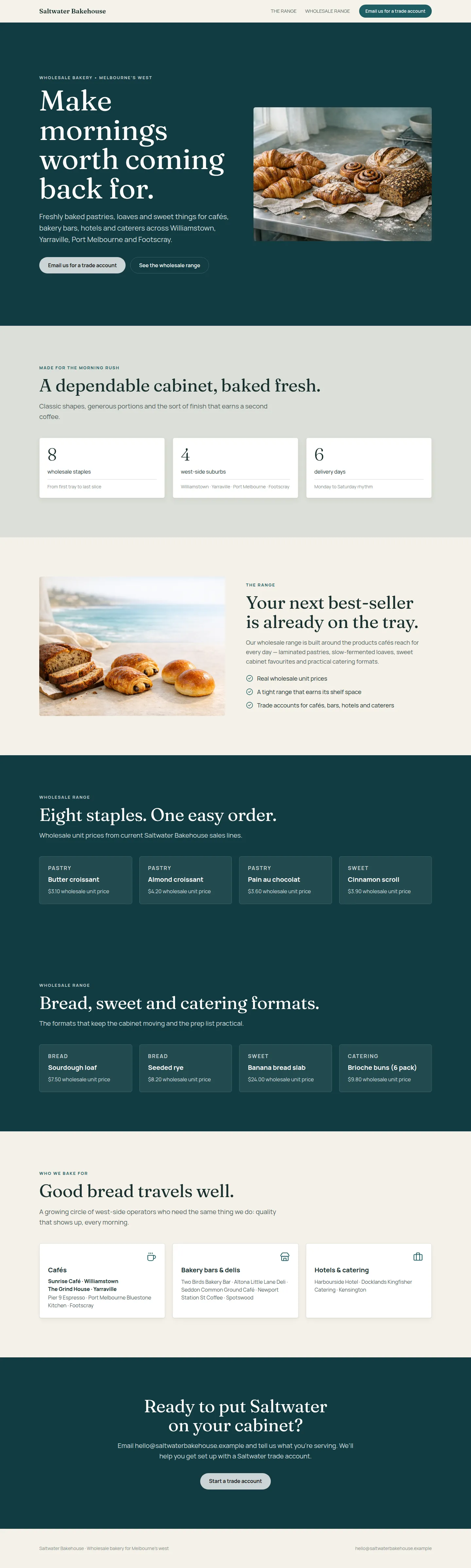
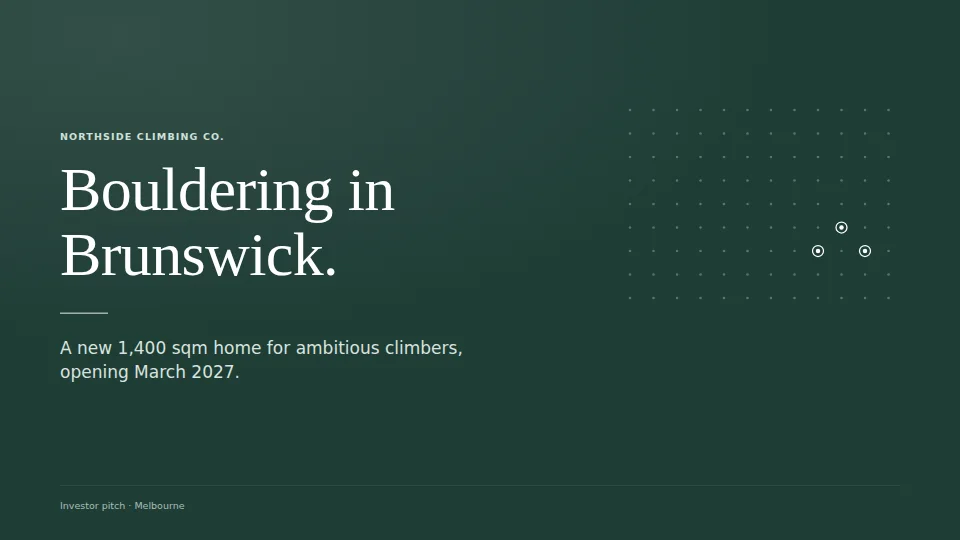
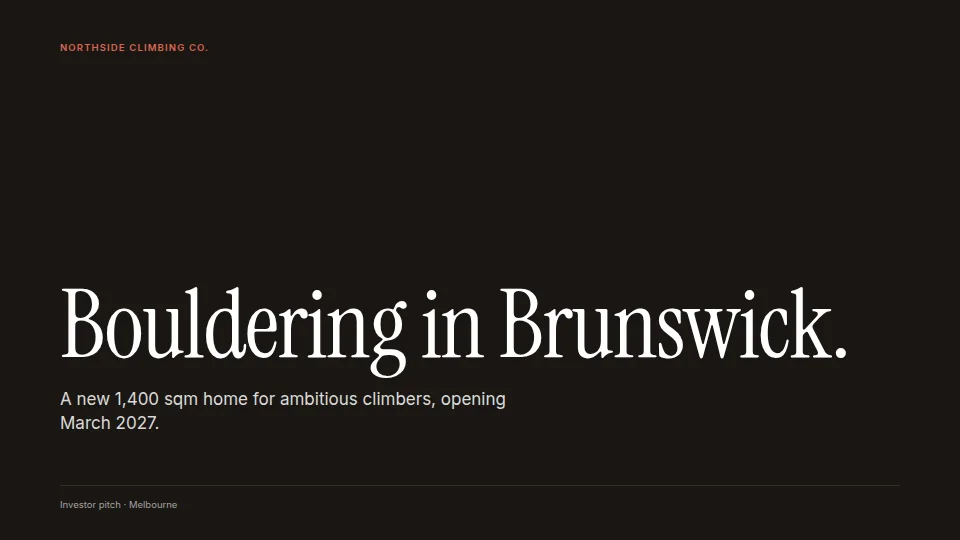
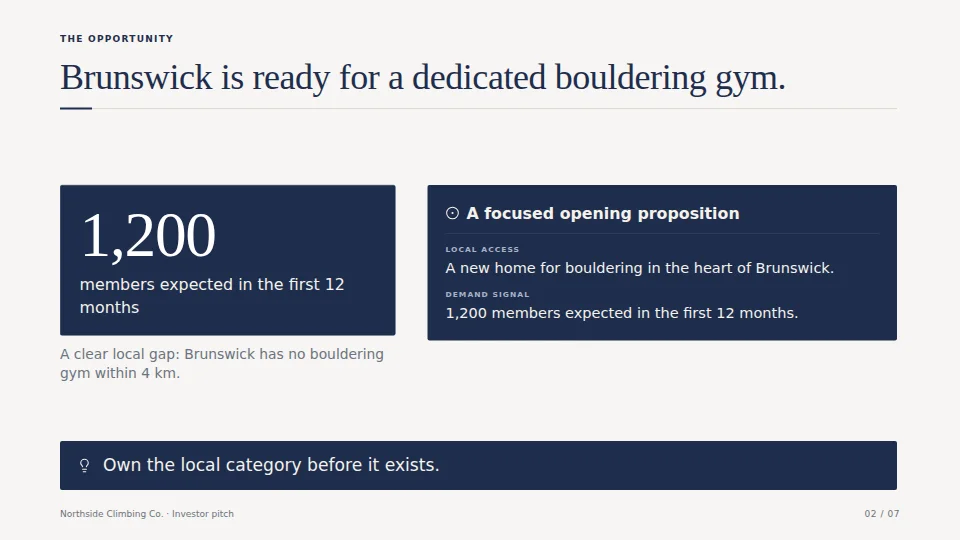
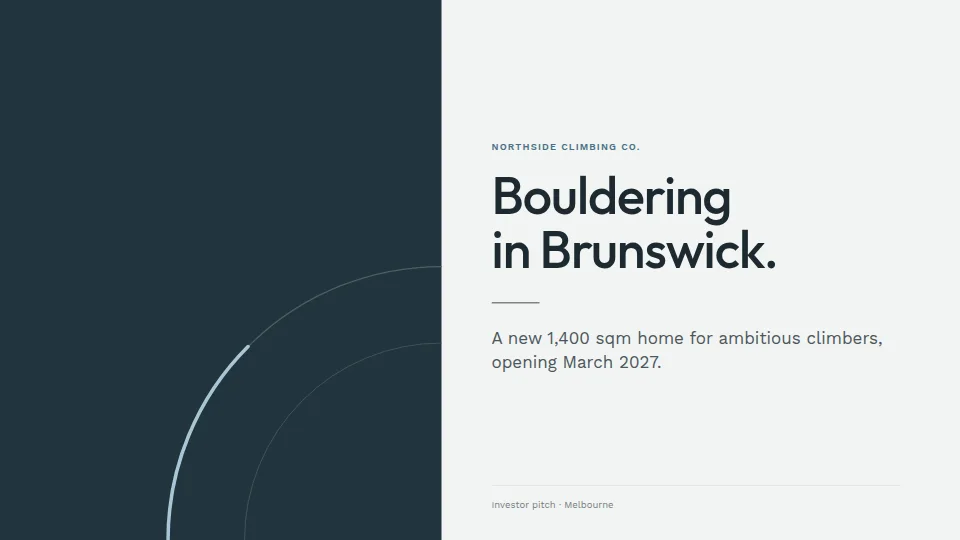
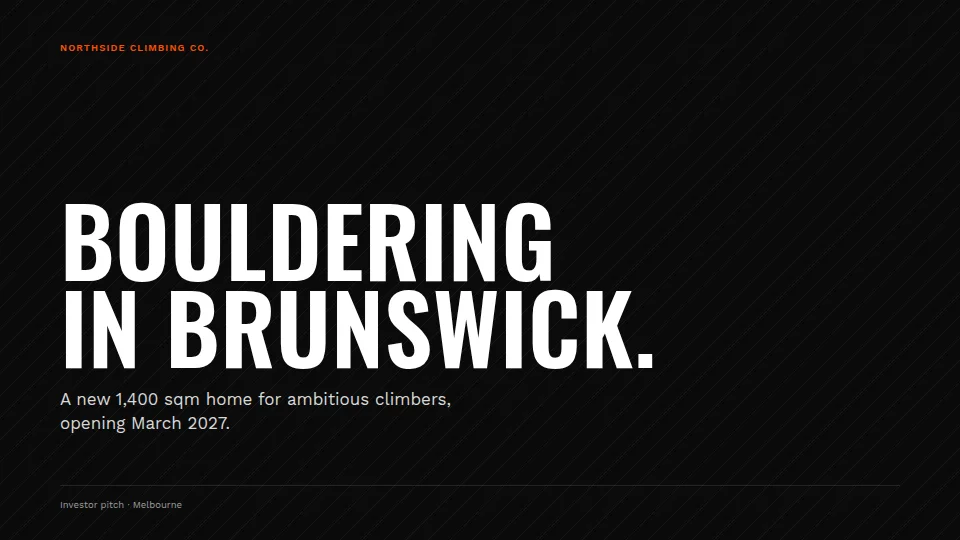
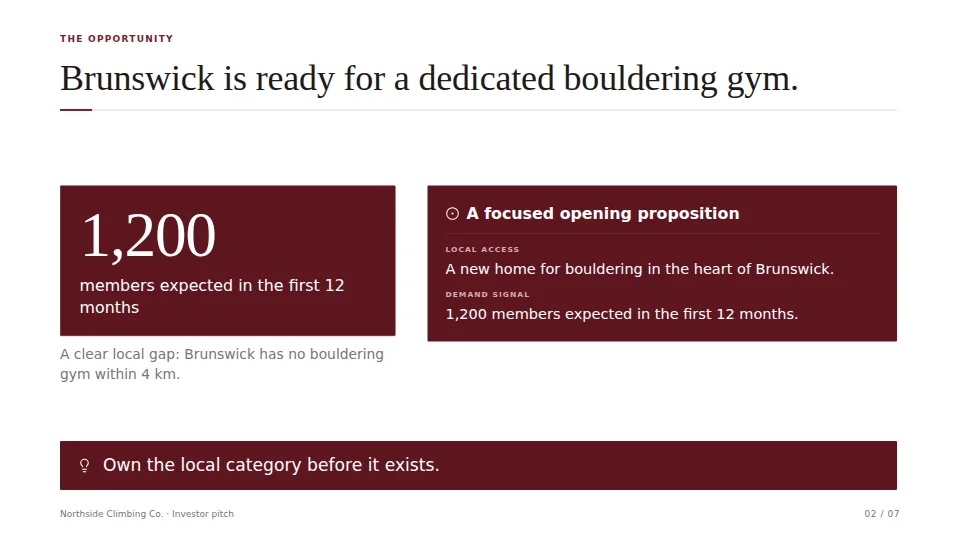
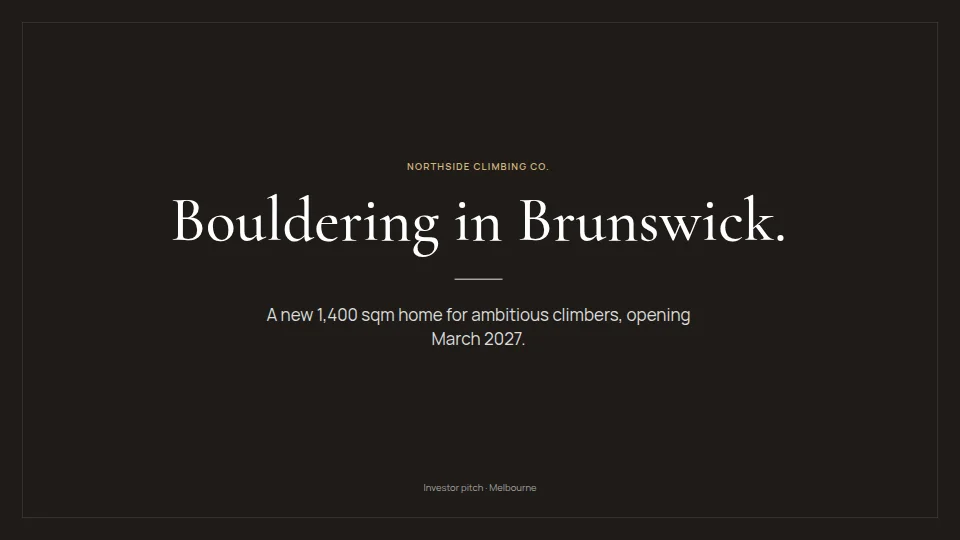
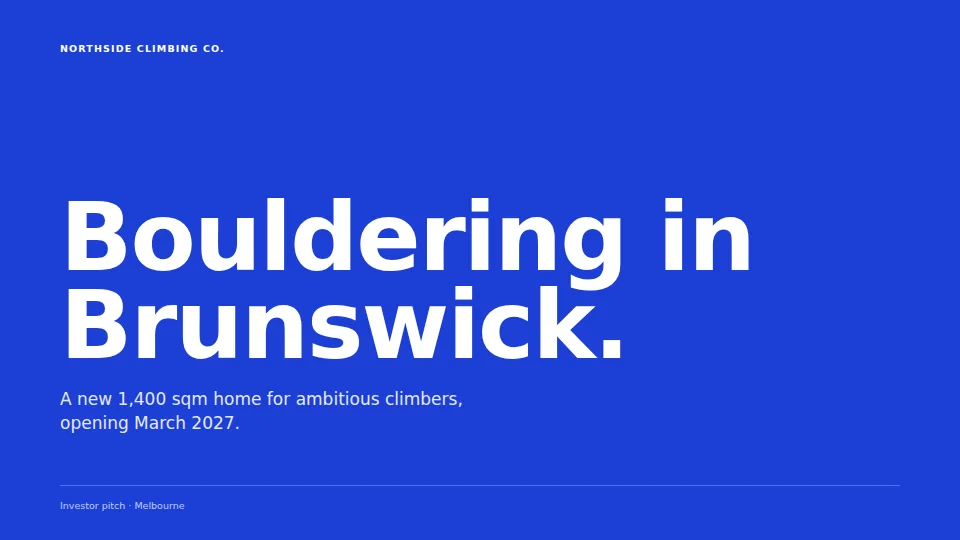
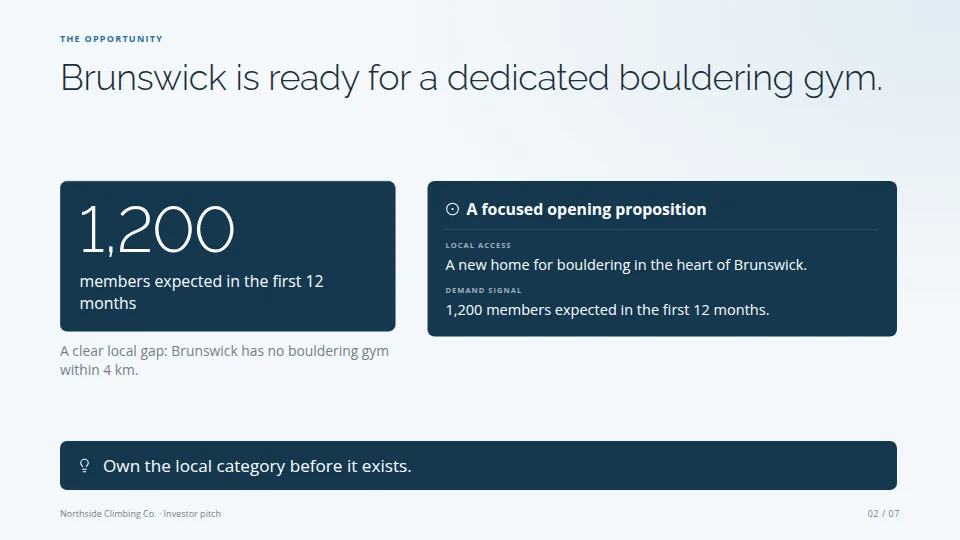
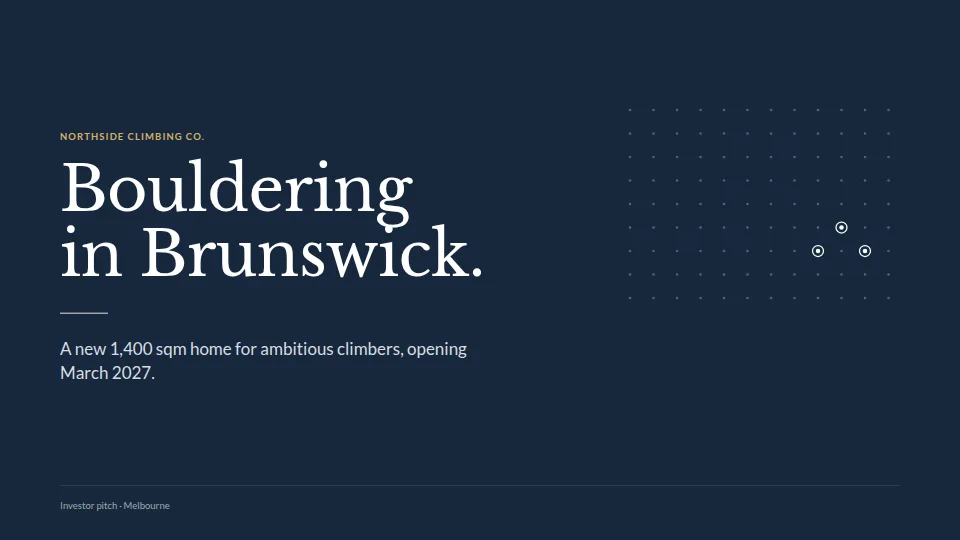
Six families. See your own design drawn in every one and switch with a click, or change just the cover, the boxes or the type.
Every page drawn at full size and measured. Cut off, squeezed, half empty or a figure gone missing: it's fixed before Chat hands you the files.
Colours and typefaces read from your own PDF, headlines kept word for word, your photos first.
Click anything on a slide and say what to change. Earlier versions are kept; present a deck full screen from the panel.
Design studio
Ask for the kind of piece you need and the designer starts from one of 100 templates made for real jobs: pitch decks, investor updates, proposals, menus, flyers, newsletters, reports and invitations. Your words go into a structure that already works, so the first version is the finished one.


Your own PDFs
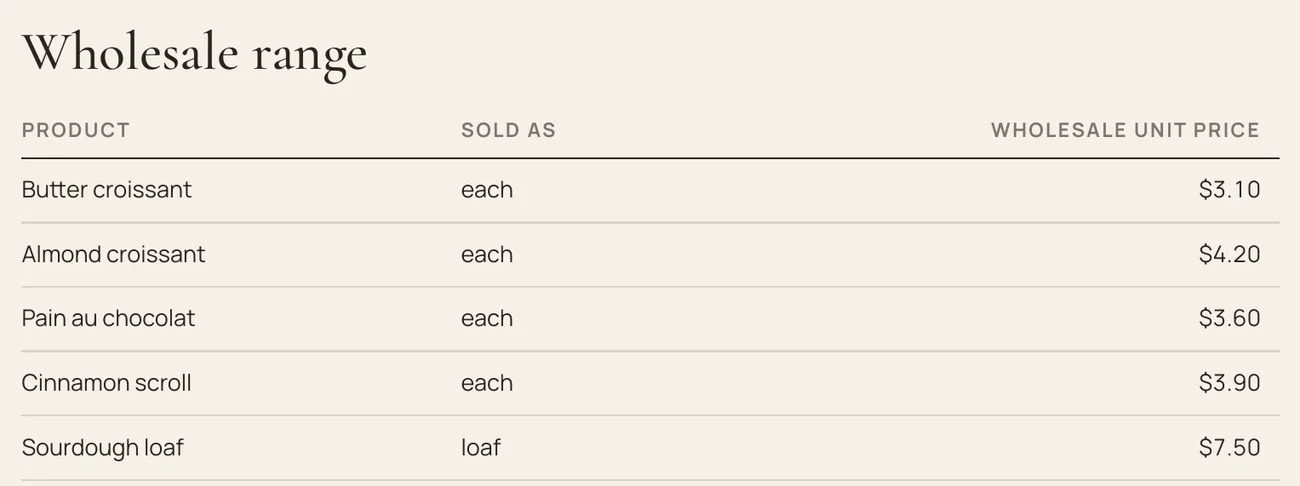
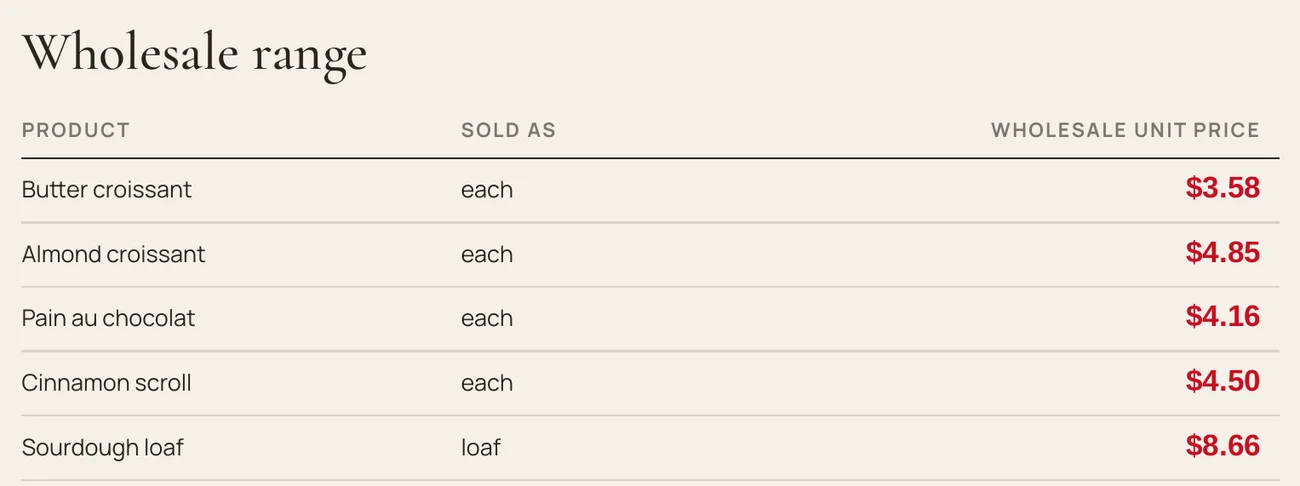
Attach the price list or brochure you already have and say what to change. Chat edits the PDF itself: your layout, photos, logo and terms stay as they are, and the new copy is saved beside the original.

Before
After · every price up 5%, GST added
Word, Excel & PowerPoint
Ask for a report, a deck or a workbook and it comes back looking finished, in a style or your own brand colours, as a real file you can keep editing.

Google Sheets, Docs & Slides
Sign in with Google in Settings › Connections › Google, then ask. Chat reads, changes and builds Google Sheets, Docs and Slides by their link or their shortcut on your PC. Nothing is downloaded or converted; the file stays in your Drive.

Pictures
Ask in the conversation. Chat makes pictures with the image model of the provider you connected (OpenAI, Google Gemini, Meta Muse or xAI), and each one is shown there and saved in your workspace.

Original5056 × 3392

Instagram post1080 × 1350

Story1080 × 1920

A4 print2480 × 3508

Square1080 × 1080

Website1920 × 1080

LinkedIn1200 × 627
Your model, your key
Paste a developer key once. NeuralSpark lists the models it can reach and keeps the key encrypted by Windows. Your provider bills you directly; we don't resell AI. Each step sends the model only the tools the task needs, so it uses fewer tokens.
Also NVIDIA, OpenRouter, a model on your own PC, or any OpenAI-compatible server. Compare them all
A permanent licence for one person, on two PCs. No subscription to NeuralSpark.
Your work never sits on our servers and telemetry is off. Prompts go only to the provider you chose; searches with the included web search go through our search service.
A real person answers, usually the same day. Compare the providers →
Pricing
Every package is all of NeuralSpark, yours to keep: a permanent licence for one person on two PCs. They differ only in how long new versions keep coming. Australian dollars, GST included; AI usage is billed by your provider.
New versions for three months.
A$49.95
GST included.
New versions for six months.
A$79.95
GST included.
Best value
New versions for a whole year.
A$109.95
GST included.
Yours to keep.When your updates end, NeuralSpark keeps working with every version you received. Nothing renews by itself.
Newer versions later?Add 6 months (A$39.95) or 12 months (A$69.95) of updates whenever you like, GST included. They start when your current updates end, or today if they already have.
AI is paid to your provider.You connect the AI service you choose, and it bills you for what you use. No package includes AI credits. Which provider?
Refunds.Not for change of mind. Your rights under the Australian Consumer Law are not affected.
What's new
Every update is listed in plain words on the day it comes out. Updates from recent versions download only the files that changed and install in place, keeping your work.
Questions
No. You connect an API key from a provider and they bill you for what you use. NeuralSpark is the software; the models are yours to choose.
OpenAI, Anthropic, Google Gemini, Meta Muse, DeepSeek, NVIDIA and OpenRouter, xAI as a custom connection, a model running on your own PC such as one served by Ollama, or any OpenAI-compatible server. What works with each. NeuralSpark lists the models your key can reach. Pictures come from the image model of the provider you connected; Settings shows which of your connections make them.
Yes. It follows Windows' own proxy settings and trusts the certificates installed in Windows, so most offices need nothing. If your IT team gives you a proxy address or a certificate file, enter them in Settings › Network and press Check to try reaching your AI provider. Models on your PC or your office network always connect directly.
What you allow. Each remote computer is set to Full, Ask or Read only, and the app enforces it, not the model. With Ask, it asks before every change or command. It can run commands for up to an hour or in the background, read, search and edit files, and it records every connection, command, read and write in an activity log. Commands need a Linux server with Python 3.10 or later; on other systems Chat can still read and edit files. Connections through a jump host are not supported yet.
Yes. In Settings › Connections › Git, sign in to GitHub, Bitbucket or Azure DevOps with your browser or a token, connect GitLab with a token, or type your own server's address: Gitea, Forgejo, GitLab, Bitbucket Data Center and GitHub Enterprise are recognised, and a certificate your company issued is checked before anything is sent. SSH links use your PC's SSH key, and a shared drive can hold a copy with no server at all. In Can edit files, Code asks before every push, publish or pull request, and sign-in details never reach the model.
Yes. Add the folder as a project and Code follows its CLAUDE.md, offers the project’s commands and skills, and your own, in the / menu, and /init writes a CLAUDE.md for a project that has none.
Yes. Chat, Code, Cowork and your automations can use the NeuralSpark browser. It opens beside the conversation, where you watch it and can take over at any time. It reads pages, clicks, fills in forms and downloads into the task’s folder, and Code uses it to test a website it built. NeuralSpark asks you before it sends a form, buys, pays, books, posts or deletes anything, and it never types your passwords: you sign in yourself, then hand it back. Settings › Cowork can limit it to the sites you list.
Yes. Sign in with Google in Settings › Connections › Google, then give Chat a Google Sheet, Doc or Slides file by its link or its shortcut on your PC, or ask it to make one. It works on the file where it lives and designs what it makes. NeuralSpark asks only for the files you use with it and the files it makes. Google is still reviewing NeuralSpark, so the first time you sign in Google shows an unverified-app notice; choose Continue.
From the pages read for that question, listed on the card. Before a card is shown, a second check compares it with what was actually read. Anything that could not be confirmed is marked on the card, and a price that no page showed is marked as an estimate. Treat a card as a guide, not a quote.
Decks, reports and proposals, one-pagers, posters for print and social, and web pages, in twenty-five styles with your own brand on top. Every page is checked before Chat hands you a PDF with real text, an editable PowerPoint, PNG pictures or an HTML page.
Yes, when the PDF has real text, as most price lists, brochures and catalogues do. Attach it and say what to change: prices by a mark-up and tax, sections or pages to take out, wording to replace, or package pages to redesign. The old text is taken out of the file, not covered, and the edited copy is saved beside your original. A scanned PDF can only have whole pages taken out.
Yes, by dictation. Switch on Voice input in Plugins, press the microphone in the message box and speak; your words are typed into the message for you to check and send. Speech is recognised on your PC, and the first use downloads the speech models (about 240 MB). It understands English, Chinese, Cantonese, Japanese and Korean. NeuralSpark does not read its replies aloud.
A page in the sidebar where you switch the extras that come with NeuralSpark on or off. Git is on from the start. Three experimental extras start switched off: Voice input; Agent Teams, where a lead agent shares a big job with a team, each member with its own role; and Auto review, an access mode in which the model checks each step before it runs. NeuralSpark's own tools are built in and always on. There is no plugin store.
Not unless you connect one. Your workspace is stored on your PC, but prompts and the file content a task needs go to the provider you chose. Connect a model that runs on your own PC and your prompts stay on it; only web searches go out. Dictation is recognised on your PC too.
Create your account and buy a licence, then download NeuralSpark and enter your activation key. In Settings › Connections, paste a developer key from your provider and pick a model. Then ask for a real job. It takes about ten minutes.
NeuralSpark keeps working, with every release your licence covers. Add 6 months (A$39.95) or 12 months (A$69.95) of updates whenever you want the newer ones; they include the releases you missed, and nothing renews automatically.
Not for change of mind, so please read what NeuralSpark does and which providers it works with before you buy. This does not affect your rights under the Australian Consumer Law: if NeuralSpark has a major fault we cannot fix, contact us and we will make it right, including a refund where the law provides one.
Yes. Your licence runs on two PCs at a time. Deactivate the old PC from the app and activate the new one; if a PC is lost, remove it from your account. Removing PCs is limited to three times in any 30 days.
Our publisher certificate is pending, so Windows shows an unrecognised-app warning on first install. Every release is signed with our own key and verified by the app before it runs.
Contact
A question before you buy, a problem after, an idea for the next release. A real person answers — usually the same day, Melbourne time.